🎒 Inventory demo
Mine a Mountain backpack management — drop, sell, and carry weight
See how **Mine a Mountain Roblox** players free bag space, sell crystals for cash, and upgrade carry weight when loot gets too heavy.
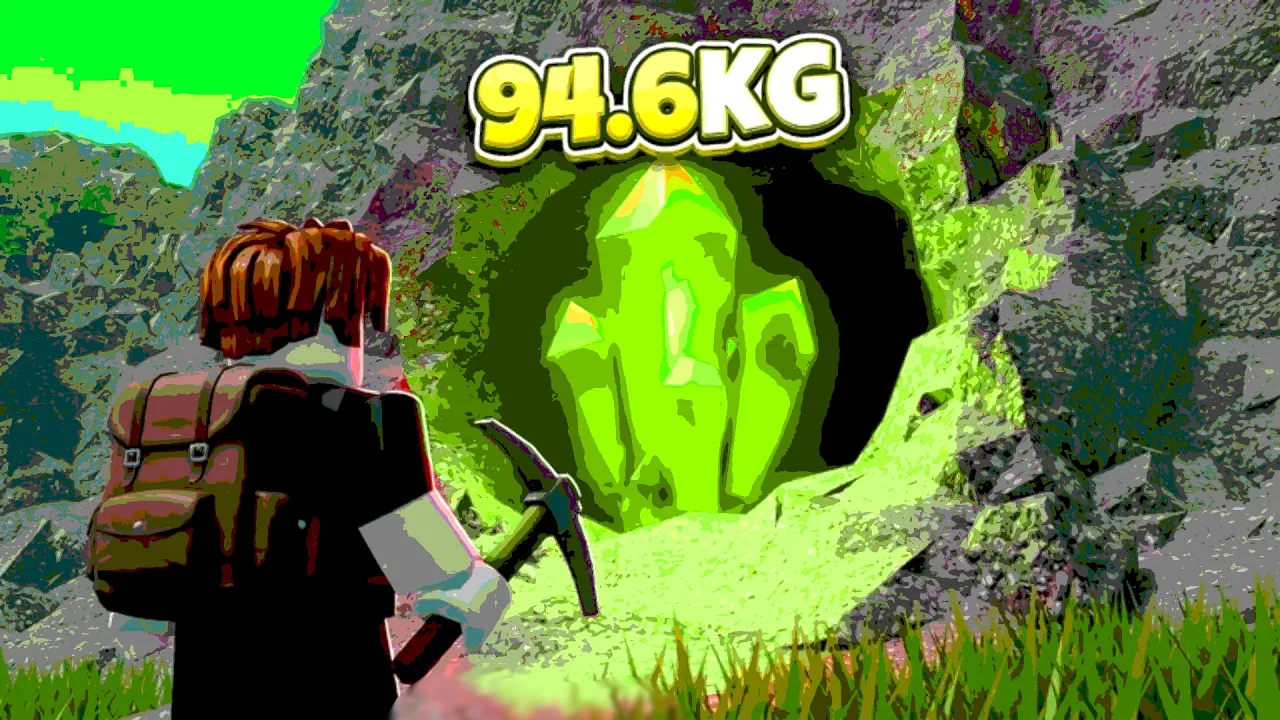
Drop crystals and manage backpack space in Mine a Mountain Roblox.
🎒 Inventory demo
See how **Mine a Mountain Roblox** players free bag space, sell crystals for cash, and upgrade carry weight when loot gets too heavy.
Players search Mine a Mountain how to drop items when their backpack fills with crystals mid-climb. Mine a Mountain Roblox uses carry weight in kilograms — not just a simple slot count — so a single rare crystal can block you from picking up better loot even when your bar looks half empty.
Dropping and selling are different actions. Selling at the vendor converts crystals to cash for warmth, pickaxe, and backpack upgrades. Dropping leaves loot in the world for other players. Use drops to dump low-value crystals on the mountain; use selling when you want money for the next upgrade.
This guide covers the PC drop control confirmed in live Mine a Mountain gameplay, explains the kg weight system, and shows when backpack upgrades beat repeated drops. Controls were verified against community sessions in July 2026 — retest after patches because UI labels can change.
If your real goal is cash rather than empty space, skip dropping and take the cash guide route back to the sell point.
On PC, the common Mine a Mountain Roblox drop flow matches standard Roblox inventory behavior: equip the crystal or item from your hotbar, then press Backspace to drop it in front of your character. Live gameplay shows players clearing low-value stacks this way to test whether a heavy crystal fits afterward.
Open your inventory with the backtick key (`) if the crystal is not on your hotbar yet. Drag the stack to hotbar slots 1–0, select it, then press Backspace. If nothing drops, the developer may have disabled dropping for that item type — sell at the vendor instead.
Dropping every common crystal does not always solve weight limits. Mine a Mountain crystals show kg values; a 16 kg or 20 kg rare can still exceed your carry cap even after you dump smaller stacks. That is when backpack upgrades or selling trips matter more than another drop.
Full PC inputs for movement and menus live on the controls page. Mobile players should read the next section — Backspace does not exist on phone UI.
Mine a Mountain backpack space is measured in kilograms. Early accounts start with low caps — community climbers report juggling 15–19 kg before their first carry upgrades. A crystal worth huge cash can still be unusable if its kg exceeds your remaining capacity.
That is why Mine a Mountain how to drop items searches spike alongside backpack upgrade searches. Dropping three small commons might free exactly enough kg for one mid-tier crystal. Dropping does not help when the crystal you want is heavier than your entire bag limit — only carry weight upgrades fix that.
Upgrade stations at spawn sell carry weight levels for cash, similar to warmth and pickaxe shops. When you repeatedly drop loot every climb, compare the cost of the next kg tier on the best upgrades page — permanent bag space often beats endless dropping.
Pair weight planning with pickaxe power from the pickaxes guide: breaking a node means nothing if you cannot pick up the payout.
| Situation | Best action | Gets you cash? | Tier |
|---|---|---|---|
| Bag full of low-value crystals | Drop commons or sell at vendor | Sell only | A |
| One heavy rare exceeds remaining kg | Drop small stacks, then grab rare | After you pick up rare | S |
| Heavy rare exceeds total bag limit | Upgrade carry weight at spawn | Indirectly | S |
| Need money for pickaxe | Teleport / walk to sell point | Yes | S |
| Accidentally dropped legendary | Pick up fast or lose to other players | If recovered | C |
Generic Roblox mobile clients do not expose Backspace dropping the way PC does. Mine a Mountain Roblox on phone or tablet may limit manual drops — many players on mobile skip dropping entirely and instead return to the sell point when full.
If your mobile UI shows an explicit drop button on a crystal stack, use it the same way as PC: drop only commons you are willing to lose. When no drop option appears, treat selling and backpack upgrades as the intended path rather than forcing PC-only tricks.
Touch movement and camera tips for climbing without fall damage are on the mobile guide. Combine that with shorter climbs when carry weight is still low.
Cross-platform groups should agree whether dropped crystals are free-for-all — Mine a Mountain public servers do not protect dropped loot.
Selling is the primary economy action in Mine a Mountain. The official description says sell crystals for cash, then upgrade warmth, pickaxe, and backpack. Every sell trip funds the Pickaxes Shop tiers that make the next climb faster.
Return to the vendor when your bag is full of items you actually want to cash out — not when you only need to dump trash. Teleport or walk home before the hourly mountain reset if you are holding high-value kg worth more than the commons cluttering your bar.
Gameplay footage shows players selling mixed loads for thousands of cash, then buying the next pickaxe or +1 kg carry upgrade. That loop beats dropping rares you forgot to sell. Track sell timing on the cash guide and use the crystal value calculator with your own in-game prices.
If crystals "will not sell" or inventory bugs appear after a reset, see stuck fixes before you drop valuable Mine a Mountain Roblox loot out of frustration.
| Goal | Use drop | Use sell | Upgrade instead |
|---|---|---|---|
| Free kg on the mountain | Yes — low-value stacks | No | Sometimes backpack |
| Fund next pickaxe | No | Yes — full vendor trip | Pickaxe shop after sell |
| Keep one heavy rare | Drop trash first | Sell trash later | Backpack kg if often blocked |
| Hourly reset soon | Only if desperate | Yes — cash out before swap | Plan warmth for new mountain |
The costliest mistake is dropping paid-tier crystals you meant to sell. Mine a Mountain does not auto-recover dropped loot. Pause before Backspace when the kg icon looks valuable.
Second mistake: ignoring carry weight upgrades while repeatedly dropping. If every climb ends with "still too heavy" after drops, you need backpack levels — not faster fingers.
Third mistake: dropping to pick up a crystal heavier than your maximum kg cap. Drops cannot raise your max — only upgrades do. Check total bag limit in the upgrade UI at spawn.
Fourth mistake: confusing Mine a Mountain Roblox with other mining games that share similar names. Codes, controls, and drop rules from unrelated titles do not apply here — use this site's beginner guide for the verified loop.
Select the crystal on your hotbar and press Backspace. Move items from inventory to hotbar first if needed.
The crystal kg may still exceed your carry cap. Upgrade backpack weight or sell more loot at the vendor.
No. Only selling at the vendor converts crystals to cash for upgrades.
Mobile may lack Backspace dropping. Use sell trips and backpack upgrades when drop UI is missing.
Drop on the mountain to free kg mid-climb. Sell when you want cash — commons still add up at the vendor.
Matched by build plan, shared topics, and guide progression — not random related links.